Manufacturing Test Analytics
Monitor your test's first-pass yield (FPY) and capability index (Cpk) at the measurement level using TofuPilot with OpenHTF.
Last updated
TofuPilot stores every OpenHTF run and shows first-pass yield (FPY) and Cpk for each measurement.
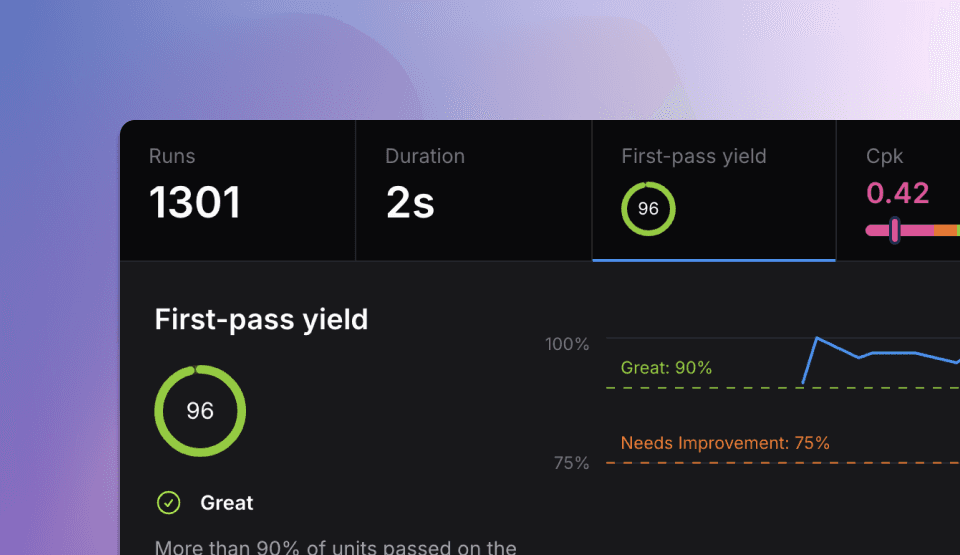
Once a test runs on real stations, things go wrong: an instrument doesn't connect, a limit rejects good parts, a phase gets slow. You find the cause faster when every run sits in one database. We built that for ourselves while testing drones, then turned it into TofuPilot. It runs in our cloud or on your own servers.
It runs stock OpenHTF scripts. Questions or feedback: Discord.
TofuPilot integration
With the CLI (no code change)
The TofuPilot CLI runs a stock OpenHTF script and uploads each run itself:
tofupilot login
tofupilot link                  # binds this folder to a procedure on the dashboard
tofupilot run main.py --upload
On a station, deploy the script from Git. Every run uploads, and waits on disk if the network is down.
With the upload() callback
If you launch tests yourself, install the open-source client:
pip install "tofupilot[openhtf]"Add it to your test like this:
import openhtf as htf
from openhtf.util import units
from tofupilot.openhtf import upload                # import tofupilot

def phase_one(test):
    return htf.PhaseResult.CONTINUE

@htf.measures(
    htf.Measurement("temperature")
    .in_range(0, 100)
    .with_units(units.DEGREE_CELSIUS)
)
def phase_temperature(test):
    test.measurements.temperature = 25

def main():
    test = htf.Test(
        phase_one,
        phase_temperature,
        procedure_id="xxxxxxxx-xxxx-xxxx-xxxx-xxxxxxxxxxxx",  # from the dashboard
        part_number="PCB01",
    )
    test.add_output_callbacks(upload())             # add 1 line
    test.execute(lambda: "SN1234")

if __name__ == "__main__":
    main()
upload() is a standard output callback and reads TOFUPILOT_API_KEY from the environment. procedure_id and part_number are ordinary test metadata keyword arguments. Each run uploads when the test ends. A failed upload is logged, not retried.
Test Reports
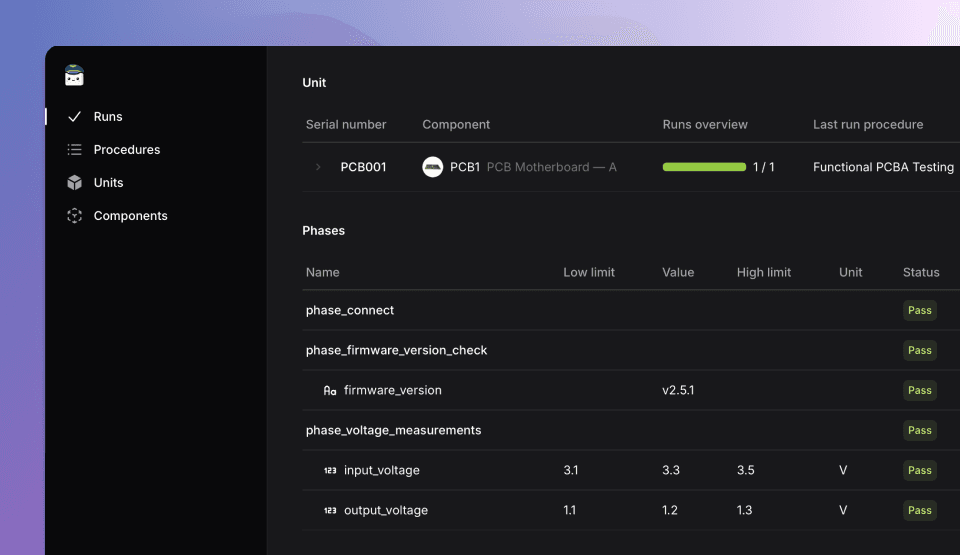
After uploading your runs, you can visualize the phases and measurements for each test run instead of having raw JSON data. This view helps you understand what happened during each test execution, including measurement values, limits, units, but also logger output, attachments, and Device Under Test information.
Learn more in the TofuPilot Docs
Analytics
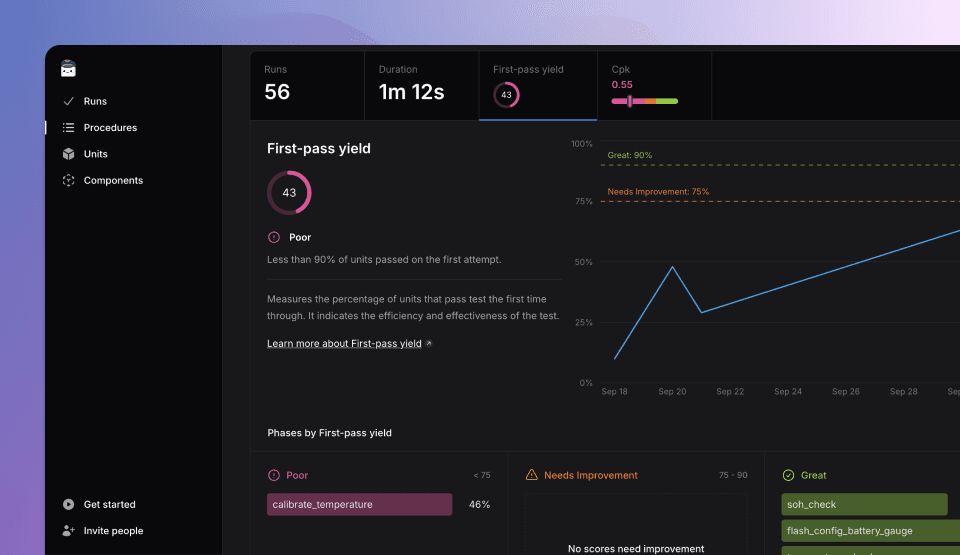
Beyond individual test visualization, TofuPilot provides analytics across multiple runs to identify patterns and trends. The most commonly used metric in industrial test monitoring is First-pass yield (FPY). It measures the percentage of parts that pass without rework and helps assess the efficiency of your test procedures.
Discover more in the TofuPilot Docs
Phases and Measurements Analytics
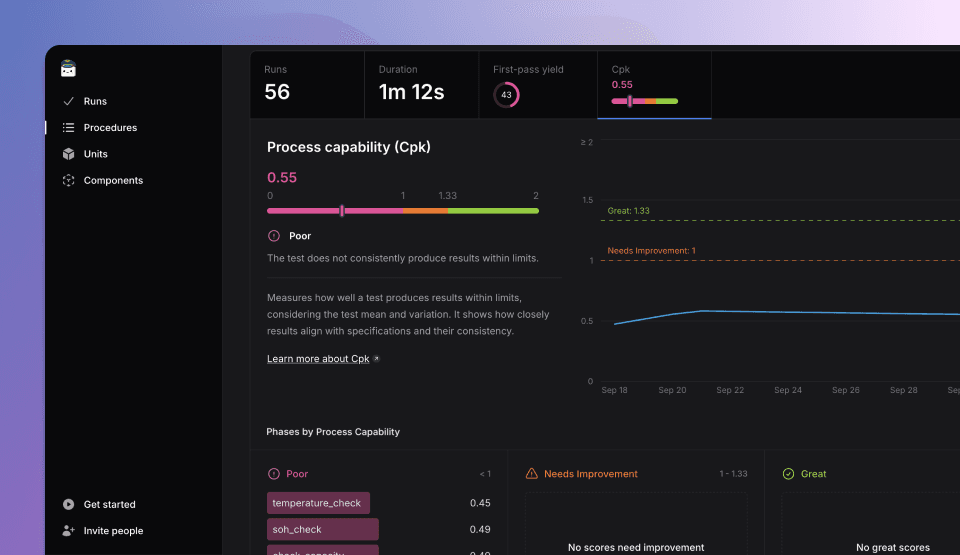
TofuPilot provides analytics at the individual phase and measurement level for deeper insights into test performance. The Process Capability Index (Cpk) measures how well measurements stay within their limits. It's calculated for each individual measurement with numerical values and at least one lower or upper limit. This helps you identify which specific measurements are driving test failures.
Discover more in the TofuPilot Docs
Related
Releases
OpenHTF release history from 1.0 (2016) to 1.6.x (2025), Python version requirements per release, what changed, and which release this documentation is verified against.
TofuPilot's Operator UI
Run OpenHTF tests from a hosted operator interface with HTTPS, user accounts, multi-test support and searchable history — no test code changes.
